![Logo-B2Chat-Consola.png]](https://help.b2chat.io/hs-fs/hubfs/Logo-B2Chat-Consola.png?height=40&name=Logo-B2Chat-Consola.png)
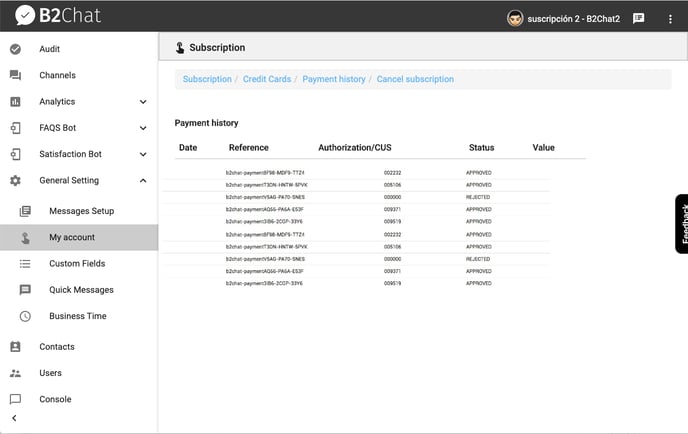
To verify your payment history💰, follow these steps:
- Go to General Settings ⚙️ and click on My account.
- Inside My account, click on the blue link ➡️ that reads Management subscription.
- Click on Payment History 💰 located in the menu at the top of your screen.
- In your payment history💰, you can see and verify the date 📅 and time ⏱️, reference, authorization / CUS (Unique Tracking Code for each transaction), the status of your payment, and the value 💲 for each transaction made.